Features
Everything you can build into a hunt
AI builds the first draft, you make it yours, and players follow it through real places on their phone. Scroll through what is under the hood.
AI generation
Start from a sentence
Describe the occasion and the place, and AI drafts the route, clues, and challenges in minutes. Prefer full control? Skip the AI and build every step by hand.
Explore the AI scavenger hunt generator →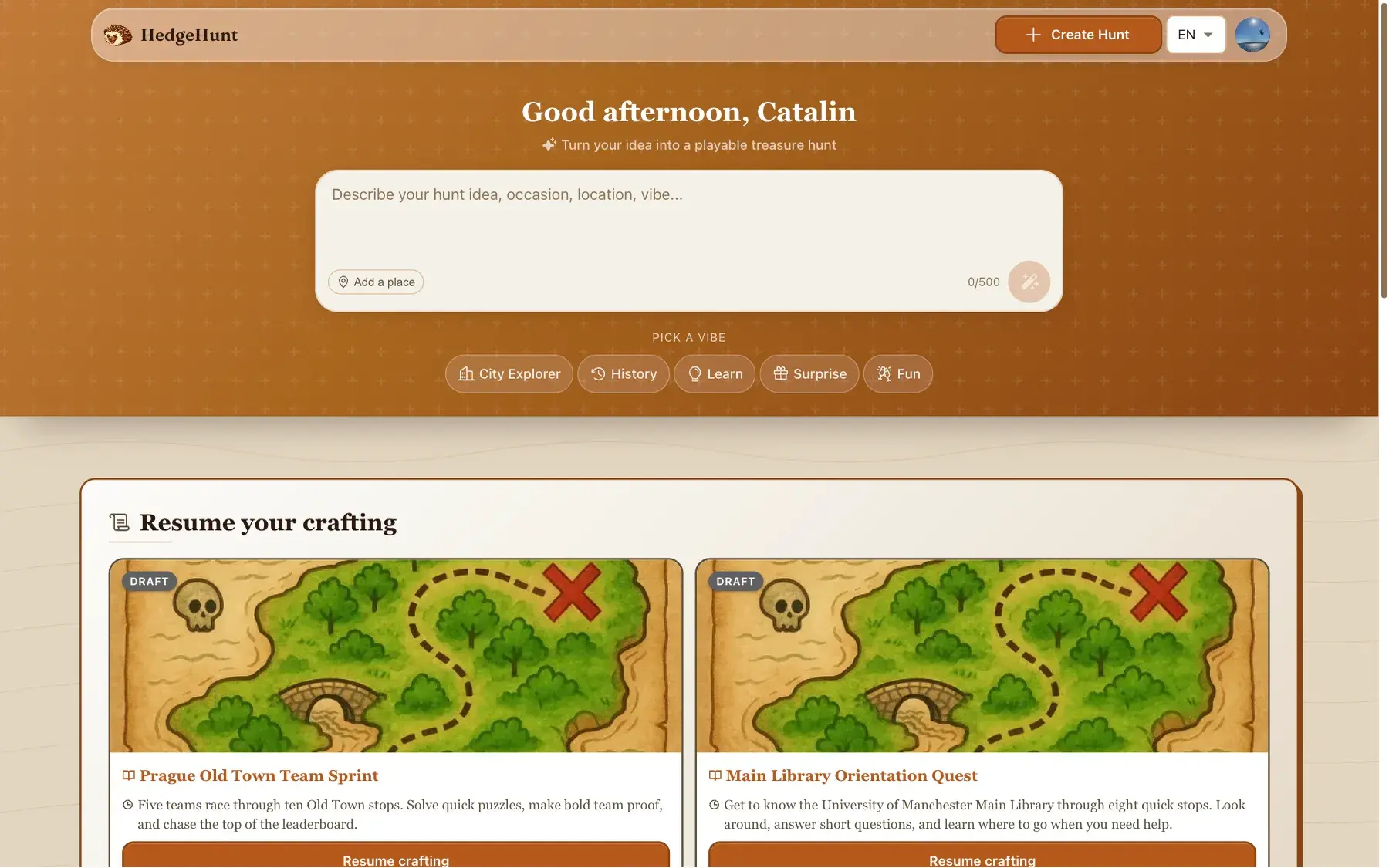
Conversational editing
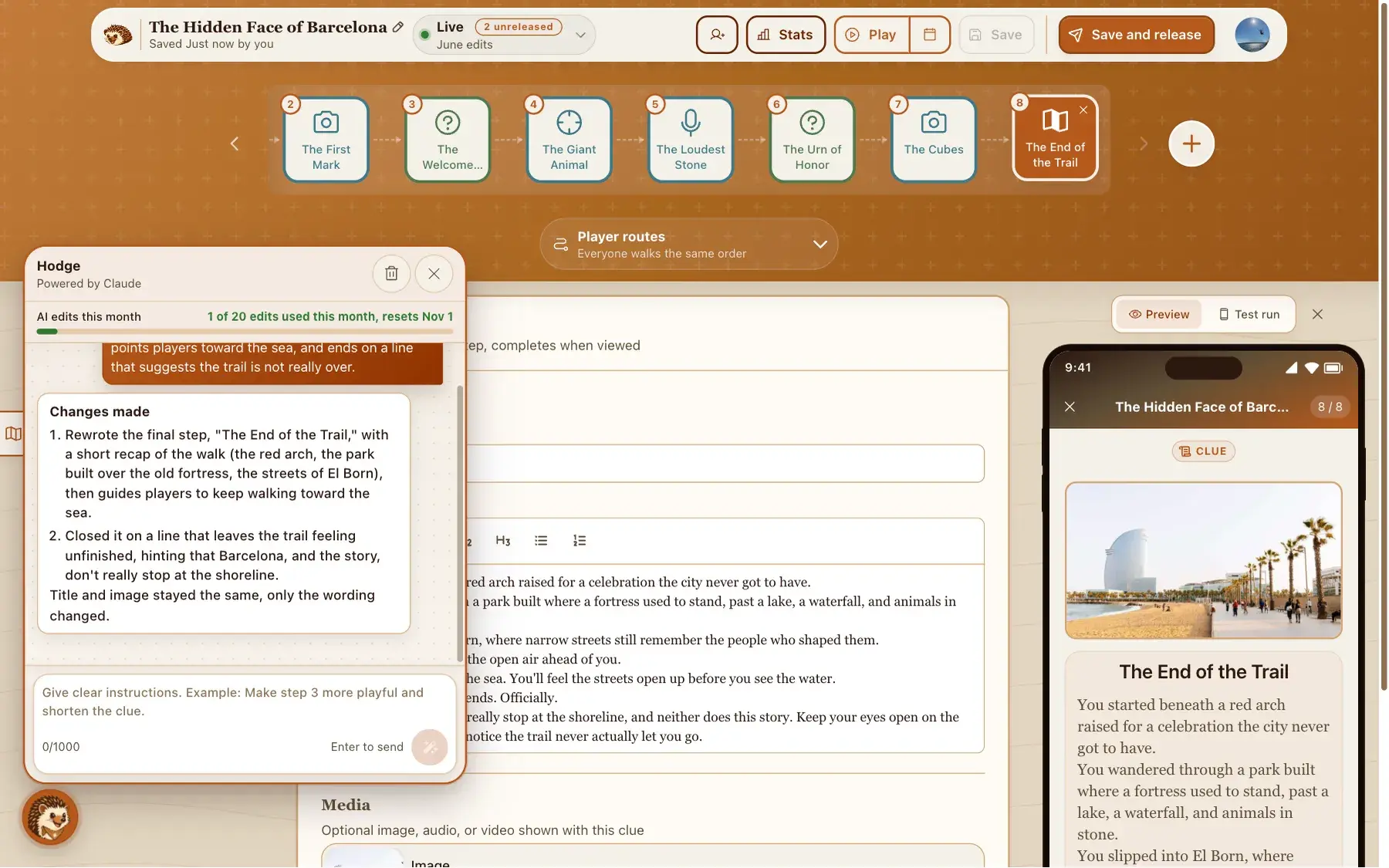
Change it by asking Hodge
Tell Hodge, the built-in assistant, what to change in plain language: make a step more dramatic, shorten a clue, add a hint. The hunt updates, and you stay in charge of what ships.
Real places
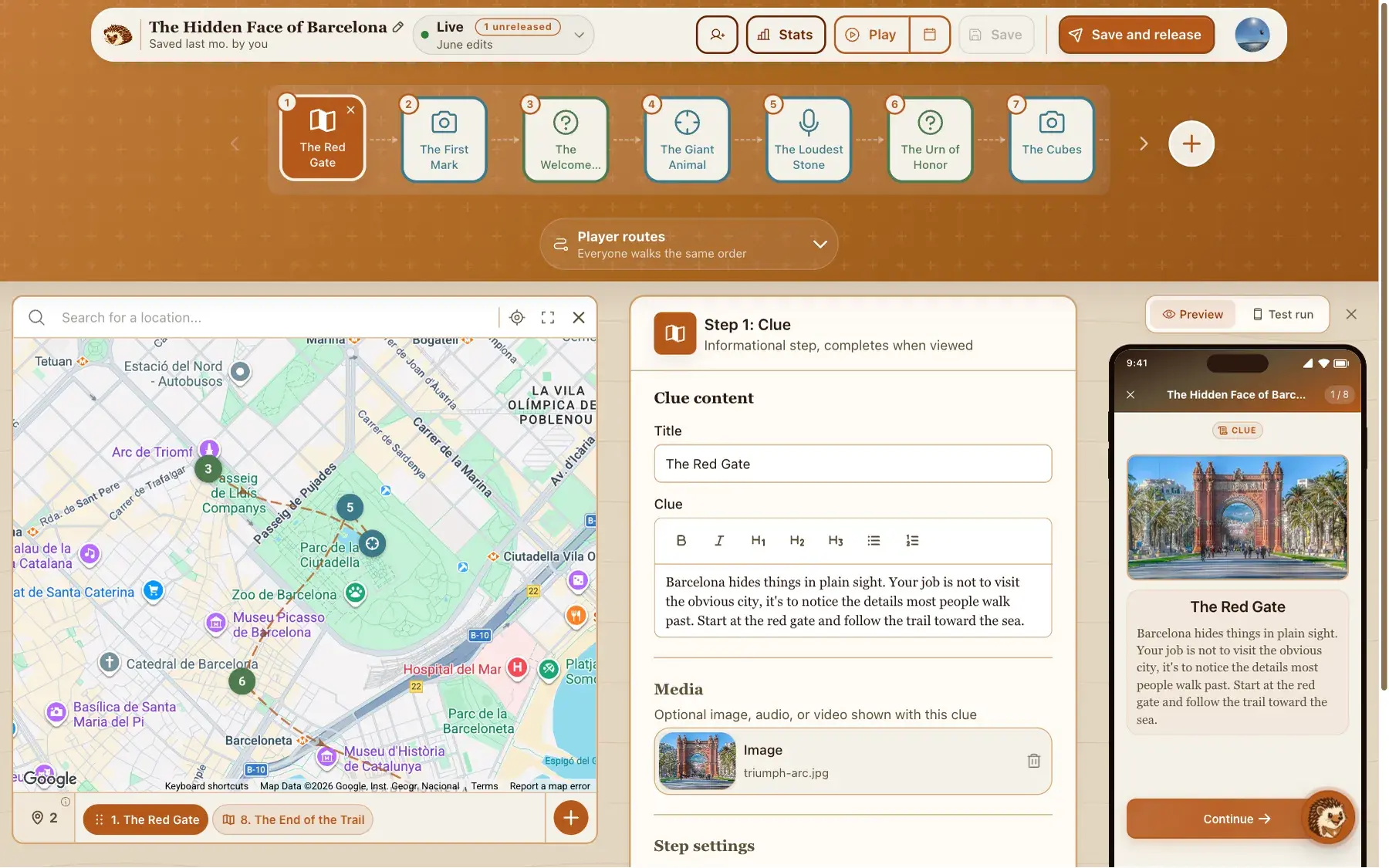
Lay the route on a real map
Pin every step to a spot on the map and watch the trail take shape. During play, a live map points players toward the next location, so the game keeps moving.
The player side
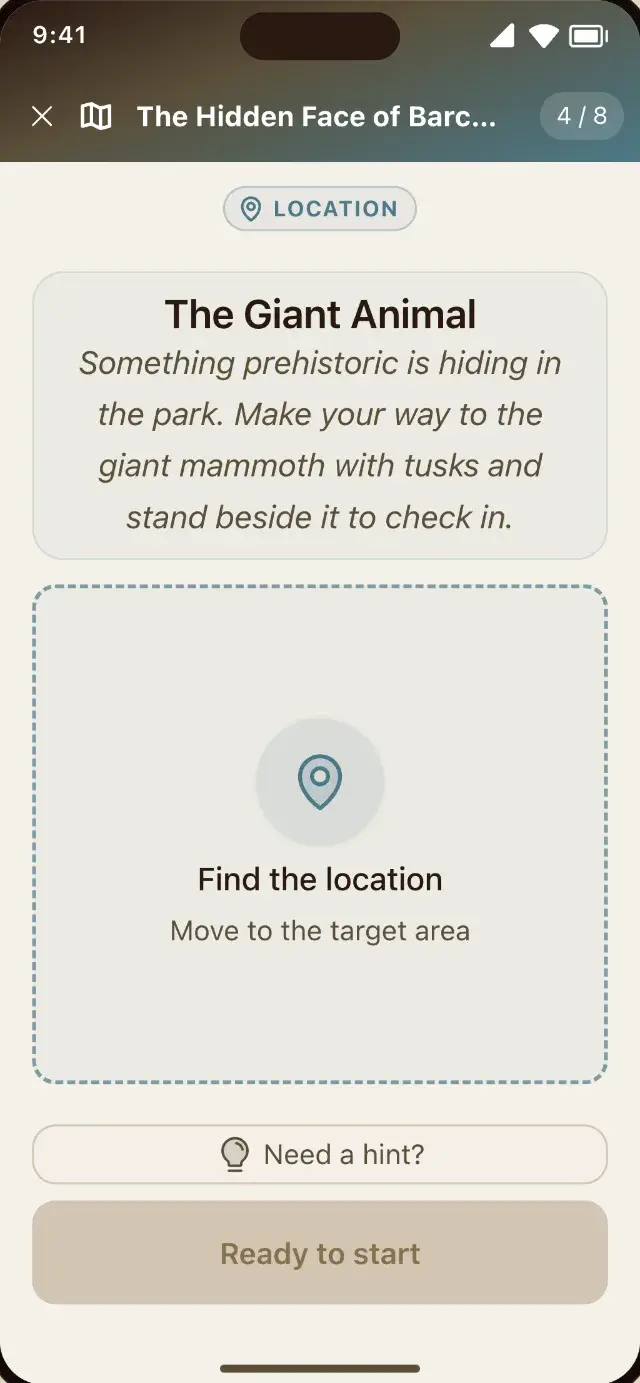
Missions in the real world
Send players to a GPS location, ask for a photo or a voice note, or have them scan a QR code. Between challenges, a live map walks them to the right spot. They play in the phone browser, nothing to install, no signup.
Test run
Walk it yourself before anyone else does
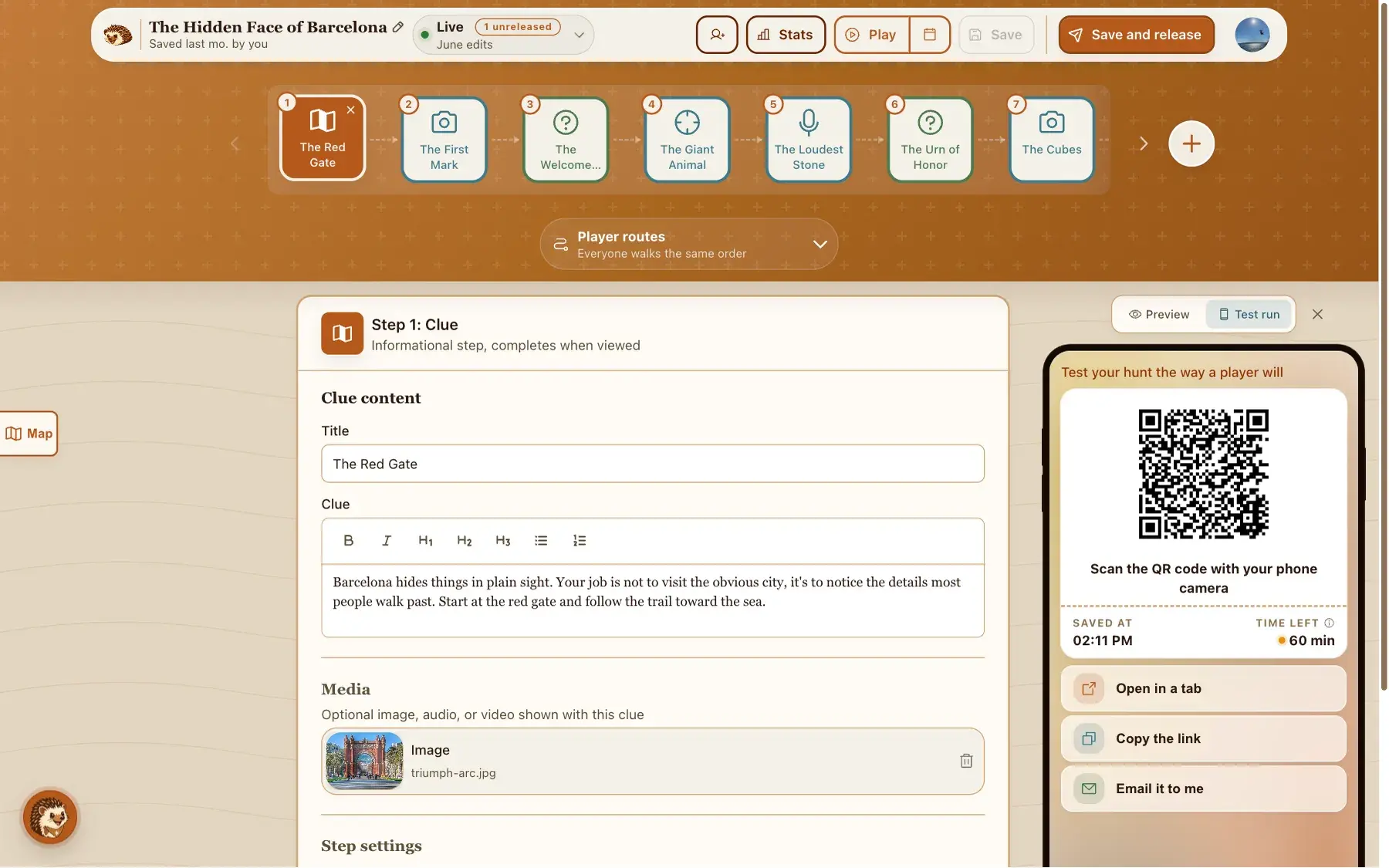
Start a test run and the builder saves your hunt, then puts a QR code on screen. Scan it and play it on your own phone, outdoors: the same GPS gates, the same photo and voice missions, the same timers, hints and answer checking your players will meet. Nothing you do lands on your leaderboard or in your stats, and you can keep editing while you walk, because the run plays a frozen copy of the hunt you started it from. Two things it leaves out: it always walks your default order, so it will not try your custom routes, and discovery facts are saved for real players.
Safety review
One last read before you go live
Ask AI to read your hunt back to you and flag what could go wrong: a step that sends players somewhere risky, wording that is not right for children, anything worth a second look. It is advisory, it never blocks a release, and it is free.
See how the safety review works →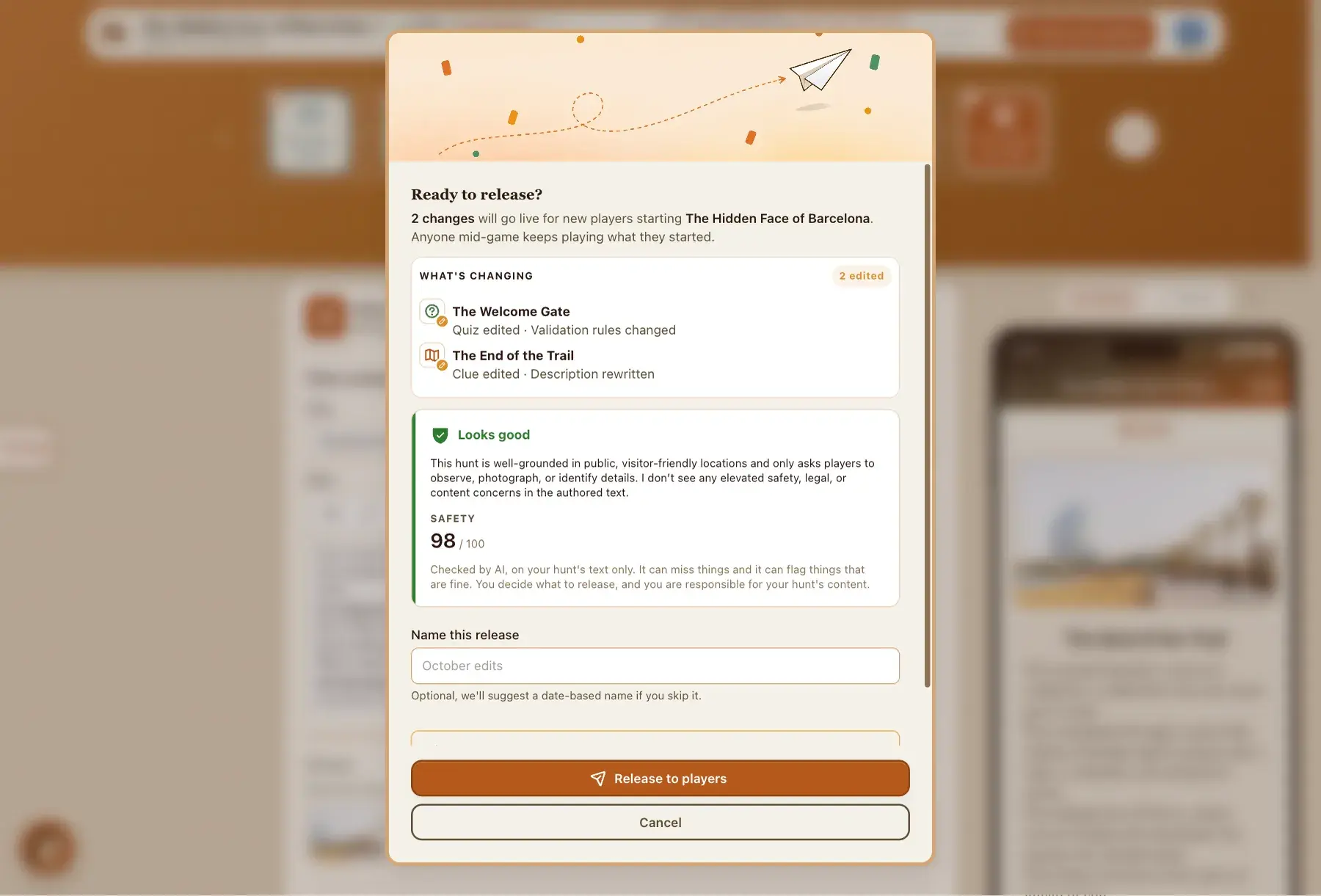
The finish
A finish that feels like a win
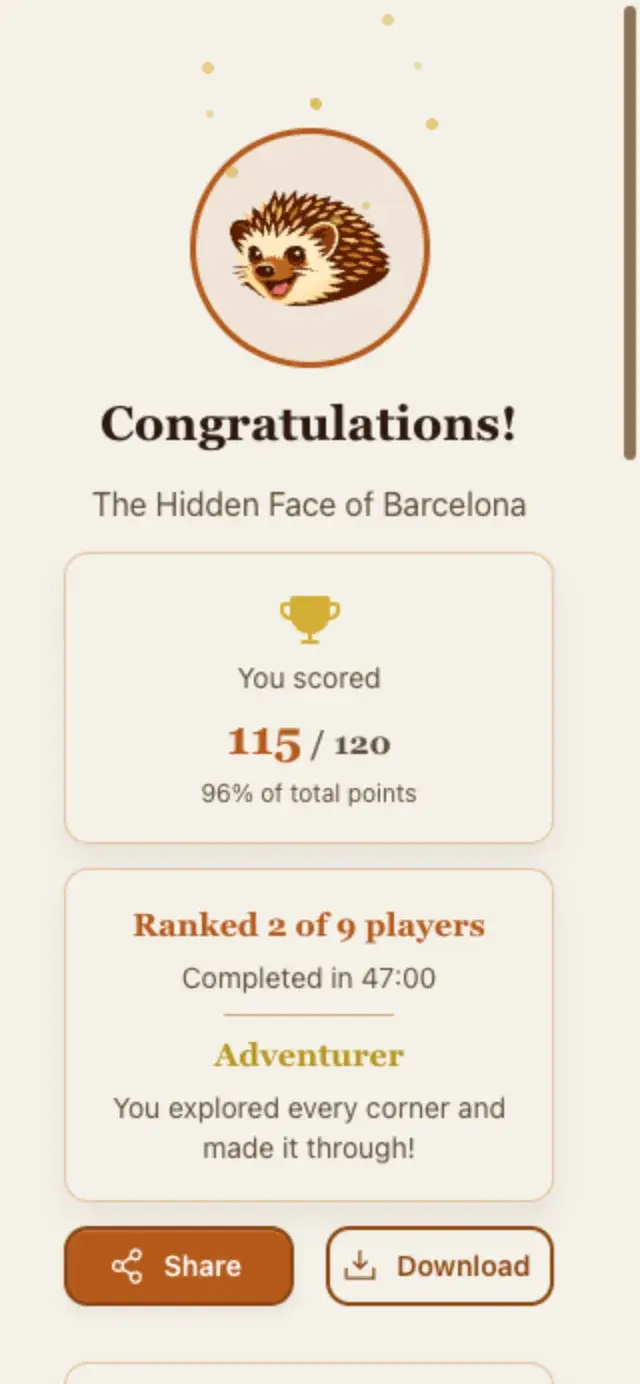
Crossing the last step lands on a celebration: their score and place on the leaderboard, the route they walked on a map, the photos and voice notes they captured along the way, and a results card made for the group chat. Players can rate the hunt before they go.
Challenge types
Four ways to challenge them
Mix them in any order to set the pace you want.
Clue
A riddle or hint that points players toward the next place or answer.
"I have hands but cannot clap. Meet me at noon."
Quiz
A multiple-choice or text question, checked when they answer.
"Which year is carved above the door?"
Mission
A real-world task: reach a GPS location, take a photo, record a voice note, or scan a QR code.
"Take a photo of the red fountain."
Task
A free-form prompt where players describe or show what they did.
"Write a two-line poem about this view."
Routes
One hunt, many ways through it
Everyone can follow the same order, or groups can start at different points of the route so ten teams never crowd the first stop. Custom routes can even send the red team and the blue team different ways through the same stops. Both are free.
See how routes work →Same order for everyone
Staggered starts
Custom routes
Going live
Edit freely, even while they play
Your hunt stays private while you build. Release it when it is ready, and that finished version is what your link opens. Edits after that stay on your side until you release again, so you can fix a typo mid-game without breaking anyone's hunt. Pause anytime (the link just tells players the hunt is offline), or bring back an earlier version.
See how going live works →Creator analytics
See where they cruised and where they got stuck
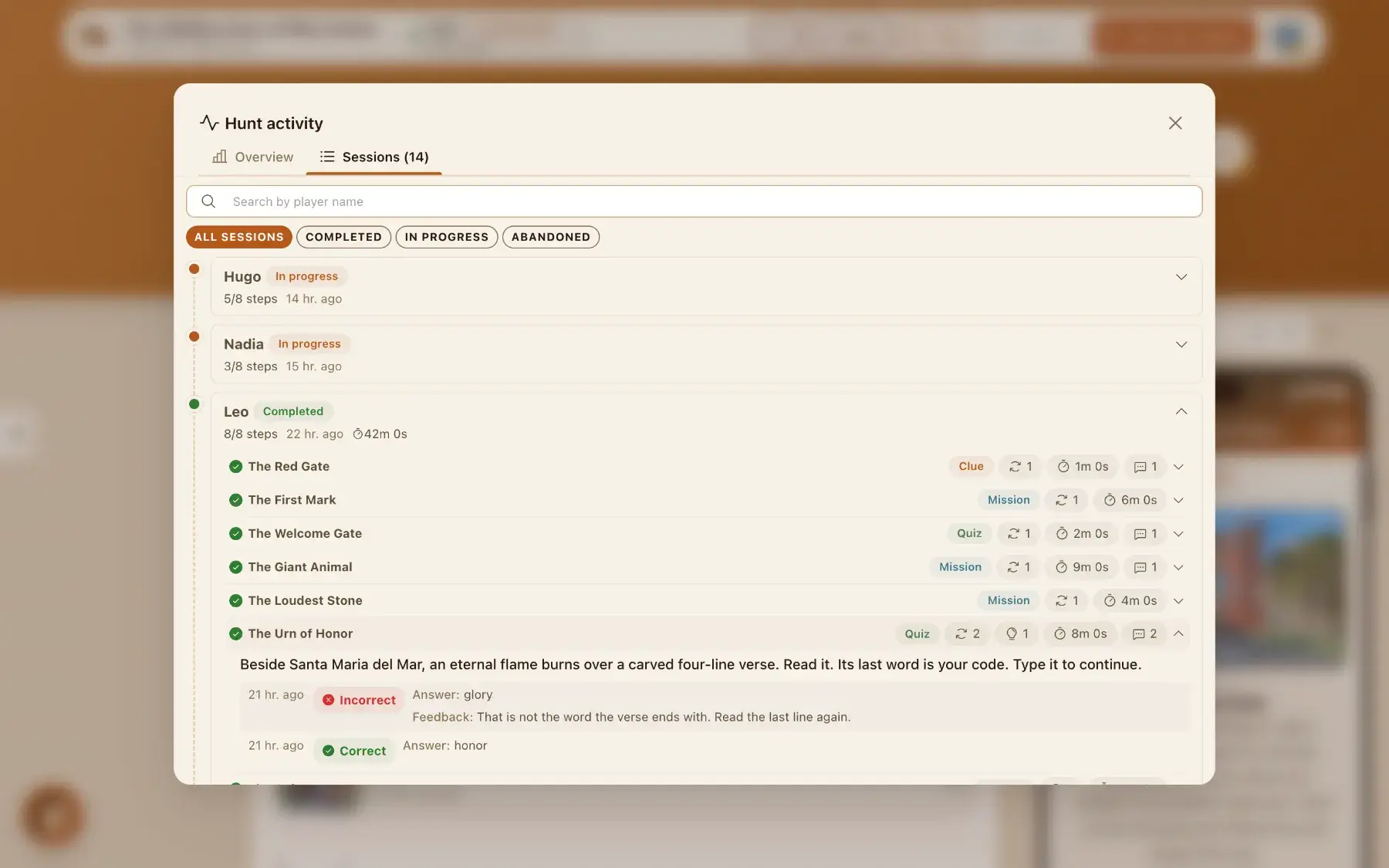
Every session, every step: completion rates, attempts, hints used, and the exact answers players tried. When a clue is too hard, the numbers tell you before your friends do. Free.
Once your hunt has five play sessions, you can also ask AI to read those answers and explain what confused them, step by step, with one concrete edit to make on each.
See how player insights works →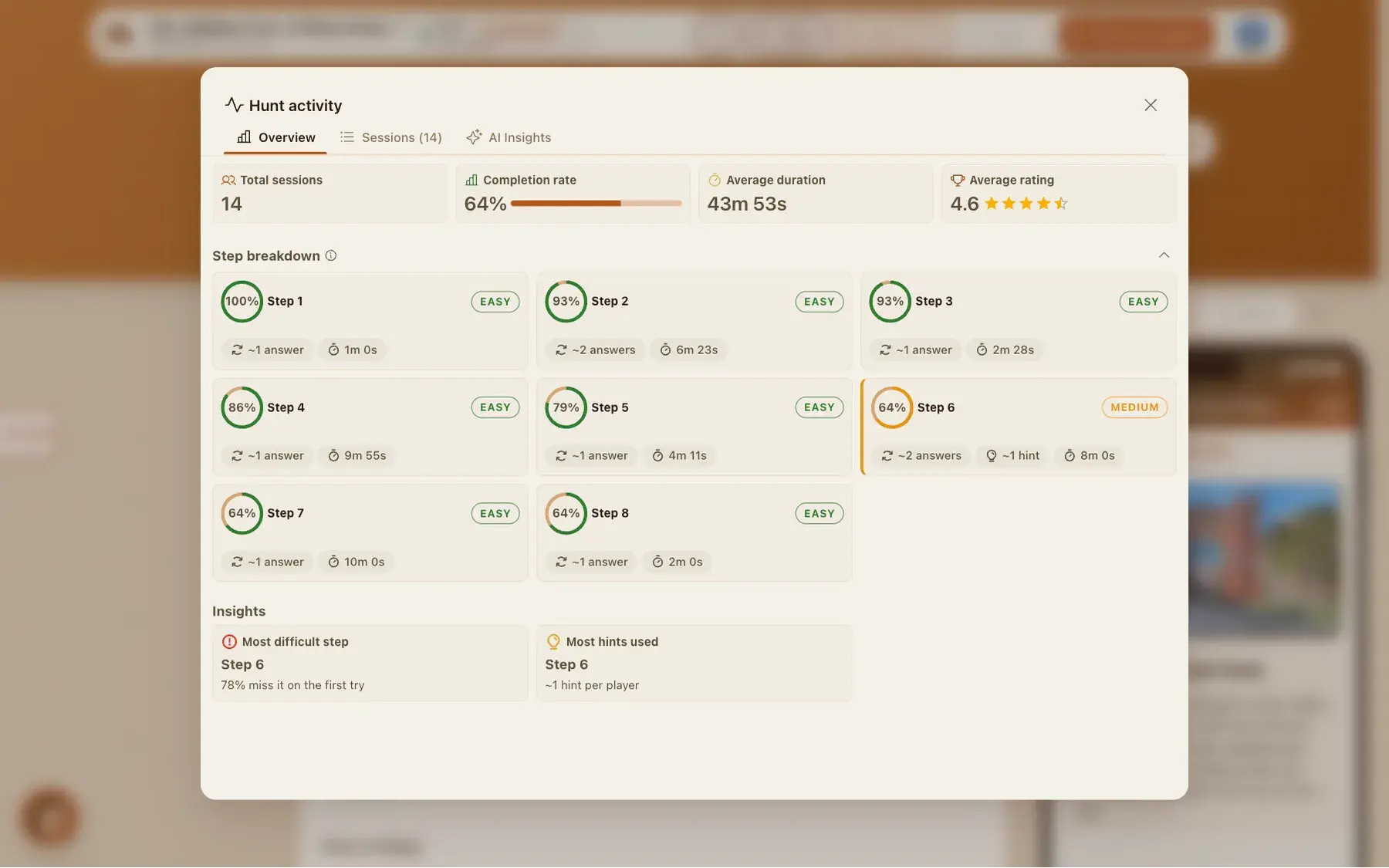
And the rest
The details that make it feel finished
Share by link or QR
Every hunt gets its own play link and QR code. Open it to anyone, or keep it invite-only with email access. Choose when it opens and closes.
A phone beside the step form
The builder shows a phone next to what you are writing, so you read every clue the way a player will as you type it.
Discovery facts
After a step is solved, a short AI-written "did you know" about the place appears. You pick the depth: off, standard, or rich.
Step settings
Hints that unlock one at a time, an optional time limit, an attempt counter, and point values. Every step has its own dials.
Build with a team
You own the hunt. Invite people with admin or view roles, so editing and sharing stay in the right hands.
Creator analytics
Step-by-step difficulty, session drill-downs, the answers players gave, and an AI read of what confused them.
Creator notes
Leave a personal message, with a photo if you like, that appears when someone completes a step.
AI answer checking
AI checks photo and free-text answers for missions and tasks, with feedback that helps players adjust and retry.
Templates
Pick a ready-made hunt and make it yours, then publish and share.
Built for real occasions
See how it works end to end, or jump into a guide for the moment you are planning.
What is free, and what costs money
Everything you build is free. Each hunt can be played by 5 phones each month at no cost. For a bigger group, you buy a phone pack: more phones that can play, on any of your hunts.
See pricing →Current limits
Things HedgeHunt does not do yet, so you are not surprised later.
- No shared team score across phones. Each phone plays its own session with its own score.
- No video challenges. Steps use text, photos, audio, QR codes and locations.
- Time limits are per step. There is no countdown for the whole hunt.